Tutorial 3 of 5
Make more from a photo collection
Beginner 6 min
Create a contact sheet, animated GIF, batch export or image grid in Photo Lab.
Bring your photos together
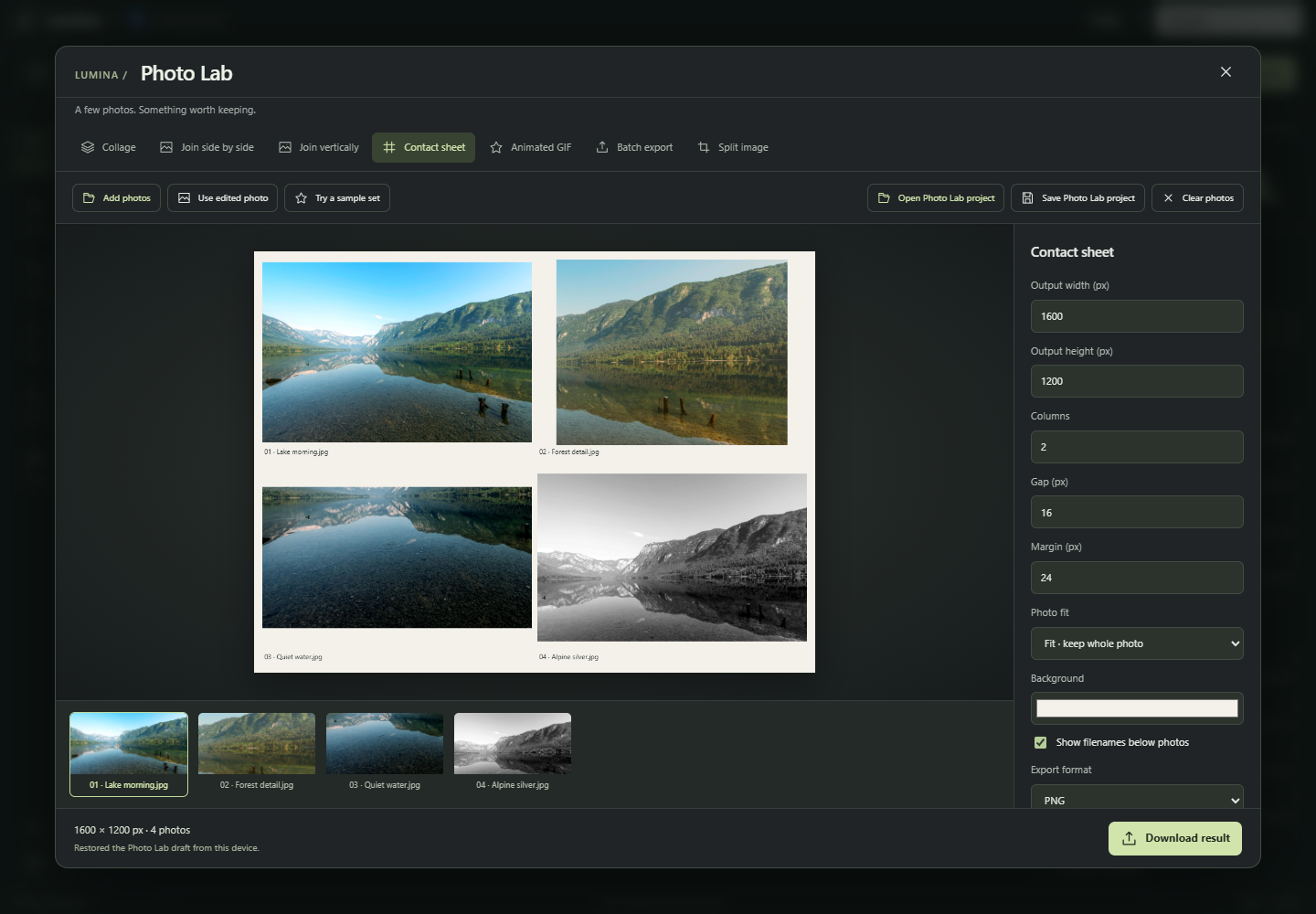
Open Photo Lab from the toolbar or Tools. Choose Add photos, Use edited photo, or Try a sample set. Processing stays on your device. Select a thumbnail to rename its caption, move it earlier or later, or remove it. Up to 24 photos can share one collection.
Build a layout
Collage arranges photos in a grid. Contact sheet reserves space for numbered filename captions. Join side by side and Join vertically create continuous strips. Choose dimensions, columns, margin, gap and background. Fill crops from the center; Fit keeps the whole photo. Download result exports PNG, JPEG or WebP.
Animate your photos
Choose Animated GIF, set the frame size and milliseconds per frame, and choose whether to repeat. Play preview shows the sequence; Download result creates the animation. GIF uses a fixed 256-color palette without transparency, so the exported colors can differ from the photo preview. Keep the total below 12 million frame pixels.
Export a batch or split an image
Batch export resizes and converts every photo into one ZIP. Capture current edit stores the editor's Develop settings and text layers. Enable Apply captured look and text layers to reuse them; crops, rotation and flips are not copied. Smaller photos are never enlarged.
Split image slices the selected photo into a row-and-column grid. The ZIP includes tiles in your chosen export format and a JSON manifest with exact coordinates. Uneven dimensions keep every edge pixel.
Save your work
Save Photo Lab project downloads a .lumina-lab.json file with your photos, their order, layout settings and captured batch look. Open Photo Lab project restores it. A separate local browser draft also restores after reload; keep a downloaded file as a backup because browser storage may be cleared.
The separate collage, image splitter and GIF tools linked from Tools use server uploads and also work through API and MCP.